
Add a blog to your website
Turn the blog on in the website’s Blog page and write posts in the editor: they appear at /blog on your own website, with an RSS feed. The blog comes with Solo Pro and Agency Pro.
Step 1: Turn the blog on
Open the website, then Blog, and turn it on in Blog on this website. Your posts are listed here, published ones and drafts.
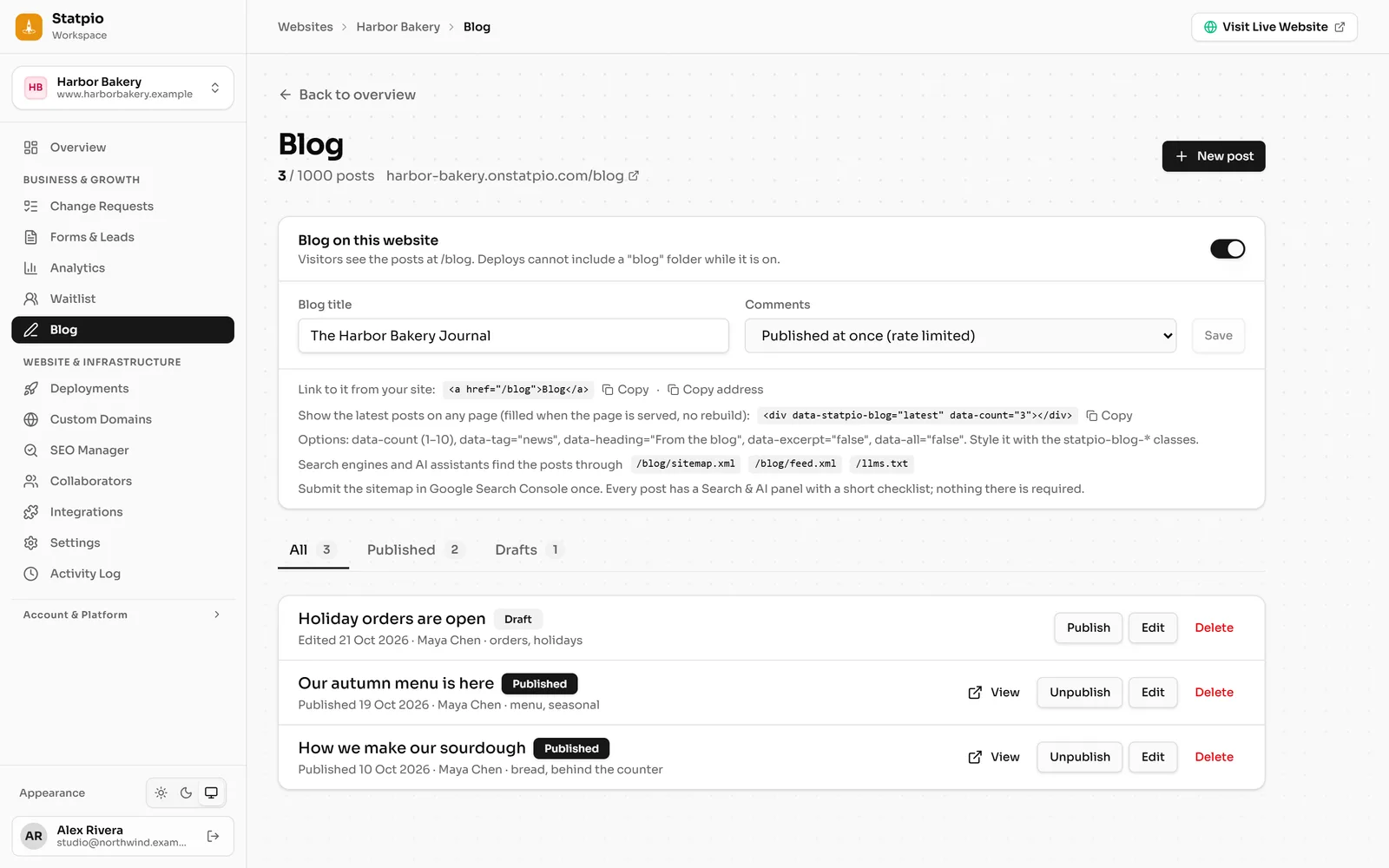 (opens the full-size screenshot)
Step 2: Write a post
Click New post. Write in the editor and add images, then a Standfirst (a line or two under the title), Topics and a Cover image. In Search & AI, set the search title and description. Then Publish, or Save draft to finish it later.
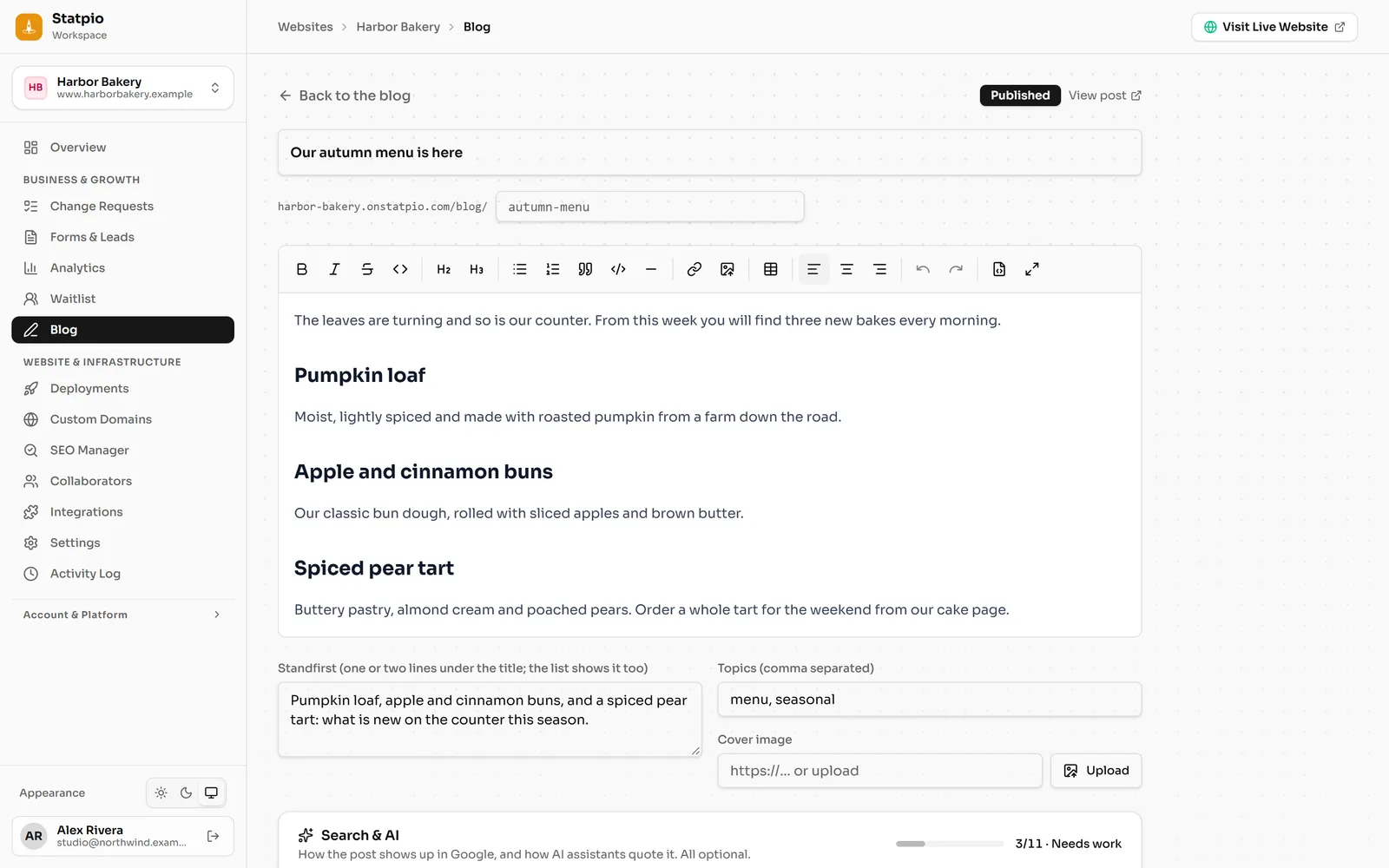 (opens the full-size screenshot)
Step 3: Link to it from your website
Published posts are at
/blogon your website, on your own domain too, with an RSS feed. Add a link to/blogto your site’s menu: the Blog page has the line to copy, under Link to it from your site.