
See your visitors
Open the website’s Analytics page to see visitors, pageviews and visit duration over the period you pick, where visitors come from, which pages they read, and how many are on the site right now. There’s nothing to install.
Step 1: Open Analytics
Open the website, then Analytics. The top shows unique visitors, visits, pageviews, views per visit, bounce rate and visit duration for the period you choose, compared with the period before, with a chart over time.
Statpio counts visits by itself: there’s nothing to add to your website.
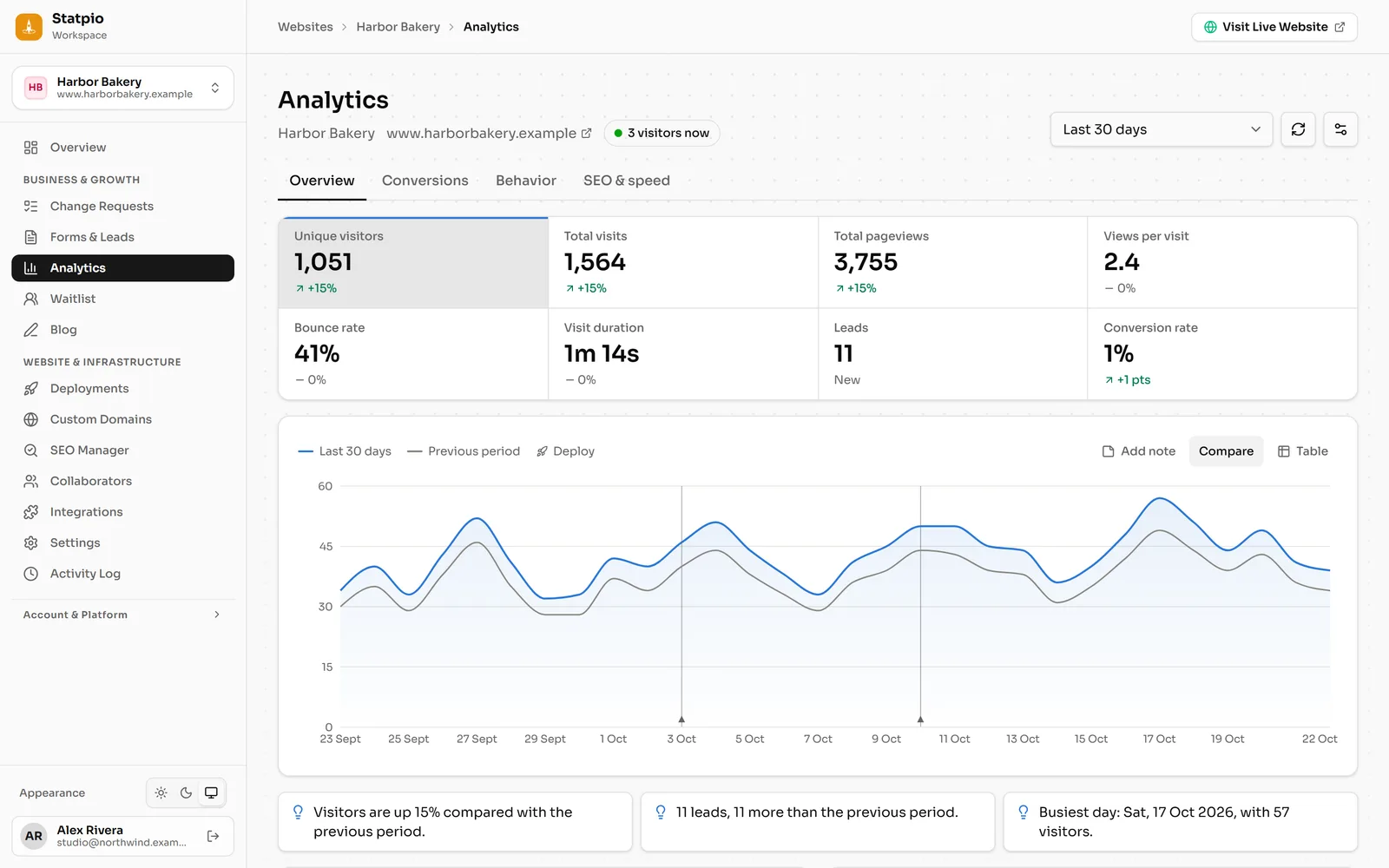 (opens the full-size screenshot)
Demo website, sample numbers. Step 2: Find out where they come from
Below the chart: channels (search, social, direct…), the top pages, countries and devices. Click any row to filter the whole report by it.
Step 3: Who’s on the site now
Under the title, next to your website’s address, you see how many visitors are on it right now; it updates while the page is open. On Solo Pro and up, click it to watch them live, with the pages they’re on.