
Get notified on your computer or phone
Statpio can alert you on this device when a new message, a waitlist sign-up or a change request reply arrives, even with the tab closed. Turn it on when it’s offered, or any time under Profile & Security, in Notifications.
Every plan1 min2 stepsChecked
Step 1: Allow notifications
Right after you save a new form, post a change request or a reply to one, or save a waitlist that’s switched on, Statpio offers notifications. Click Allow notifications (or Turn on), then Allow when your browser asks. Your browser asks only after you click.
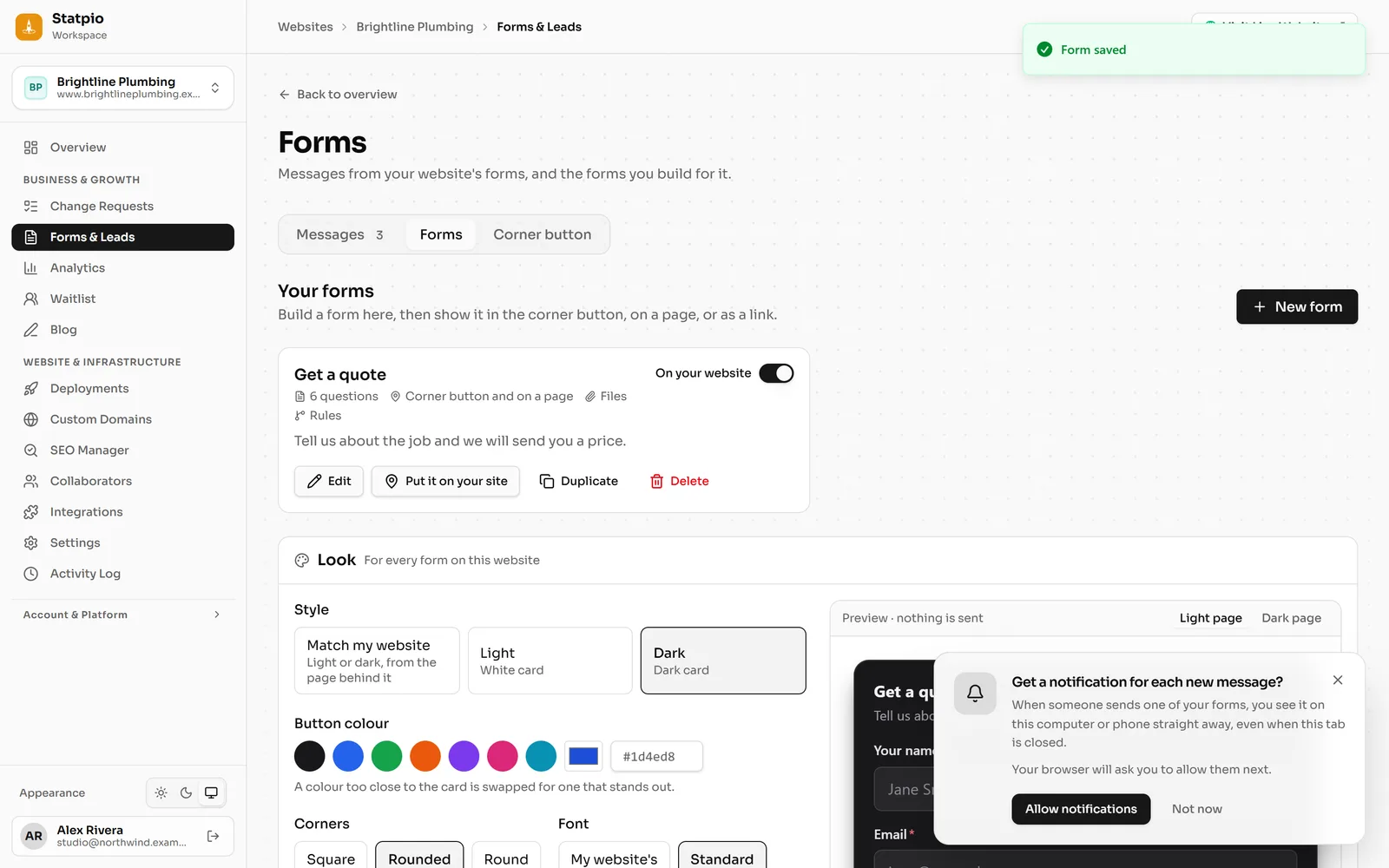 (opens the full-size screenshot)
Step 2: Manage them in your profile
In the sidebar, open Profile & Security: the Notifications card shows whether this device gets them. Send a test to check, or Turn off. Each device has its own setting, so turn them on wherever you want them.
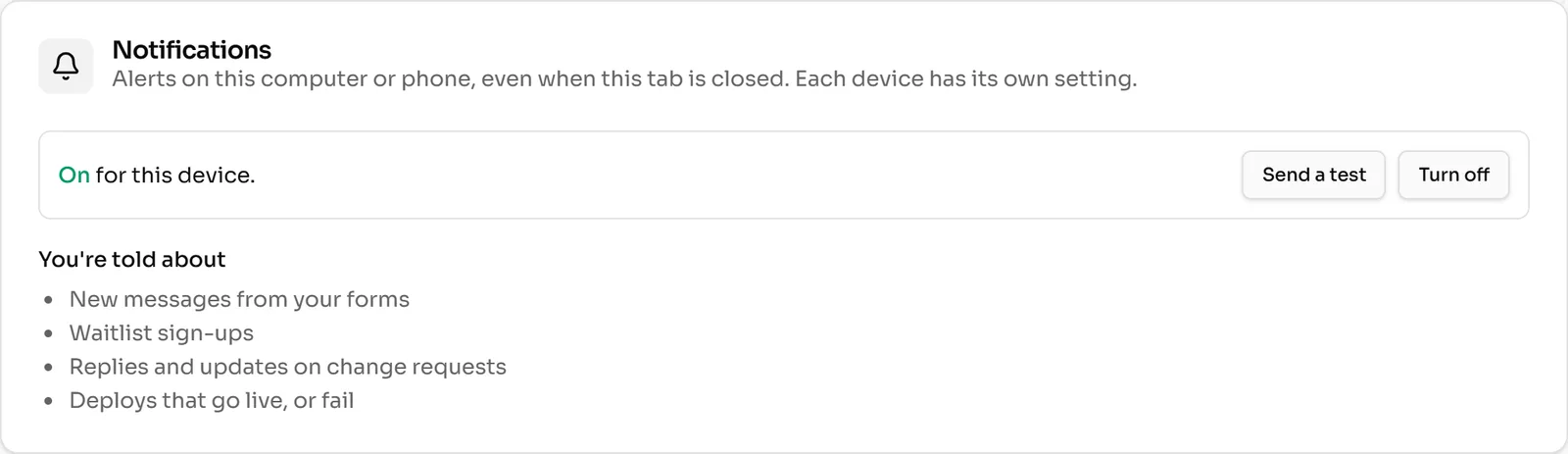 (opens the full-size screenshot)