
Read and answer messages
Every message from your website’s forms is under Forms & Leads, on the Messages tab, with each answer under its question. Open one to reply or call, and turn on notifications to hear about new ones.
Every plan2 min2 stepsChecked
Step 1: Open Messages
Open the website, then Forms & Leads: the Messages tab opens first and lists every message, newest first, each answer under its question. Pick one form from the list, search names, emails or words, or switch on Only with files.
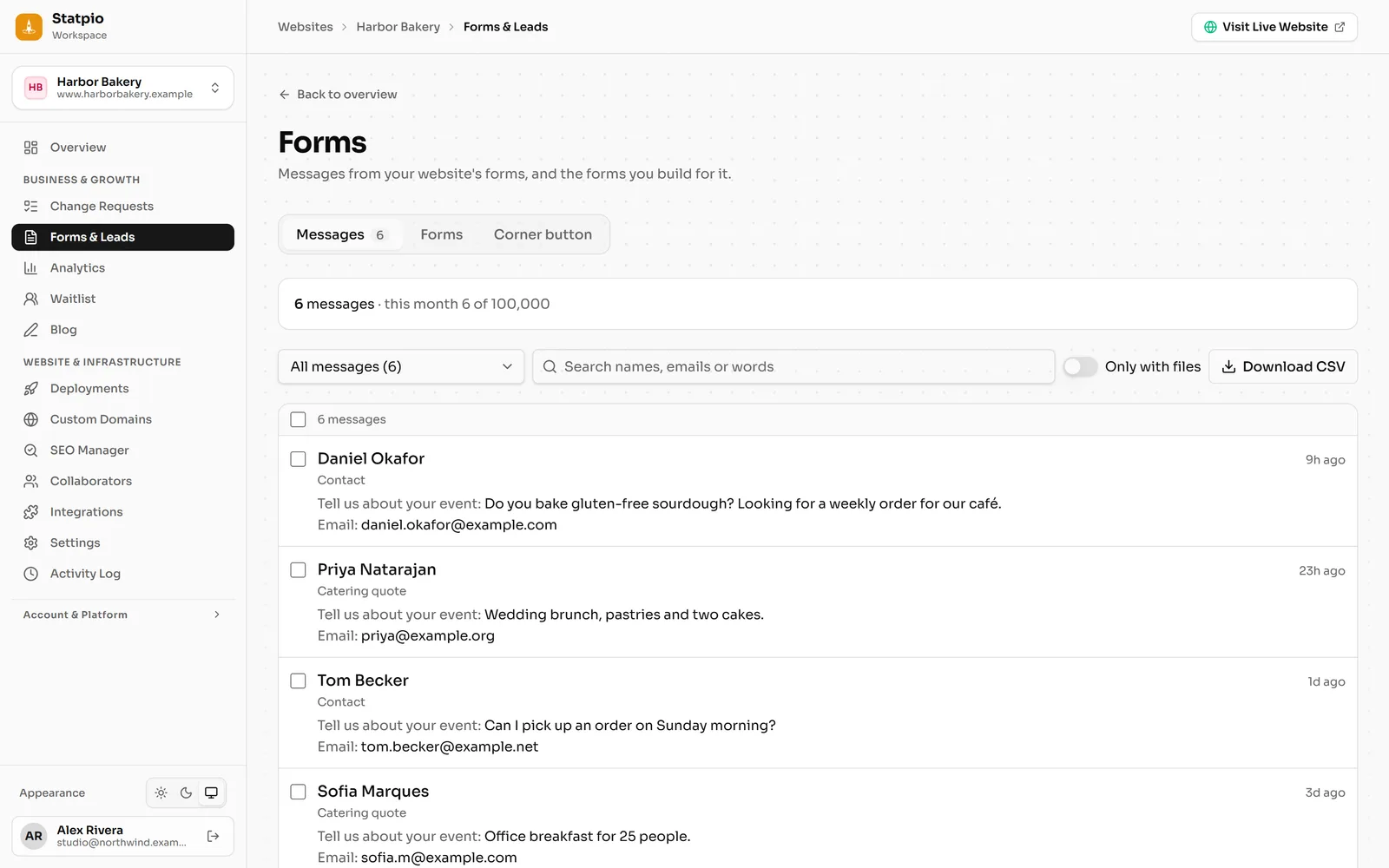 (opens the full-size screenshot)
Step 2: Reply or call
Open a message to read it in full. Reply opens your email app addressed to the visitor; Call shows when they left a phone number.
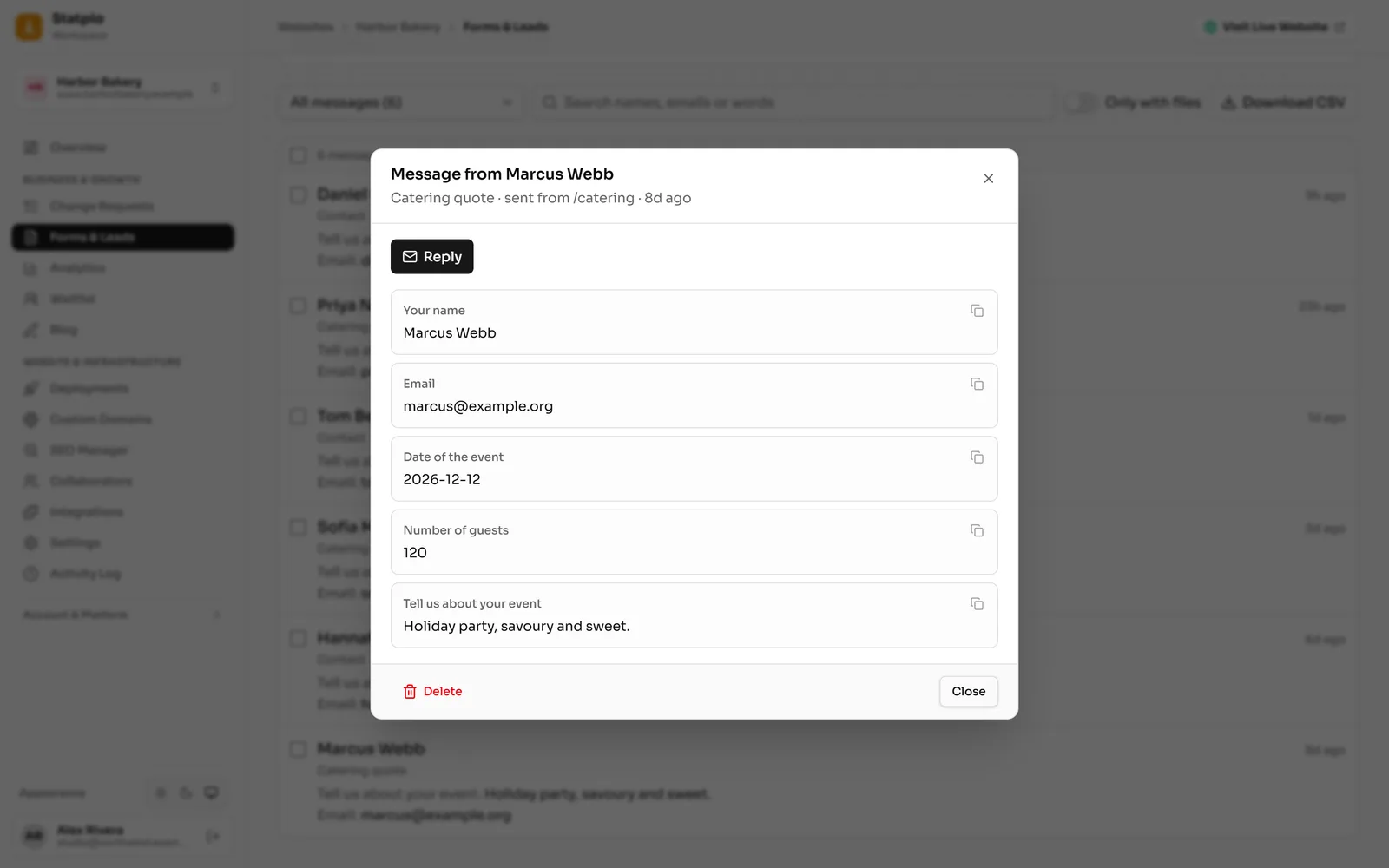 (opens the full-size screenshot)