
Show a question only when it’s needed
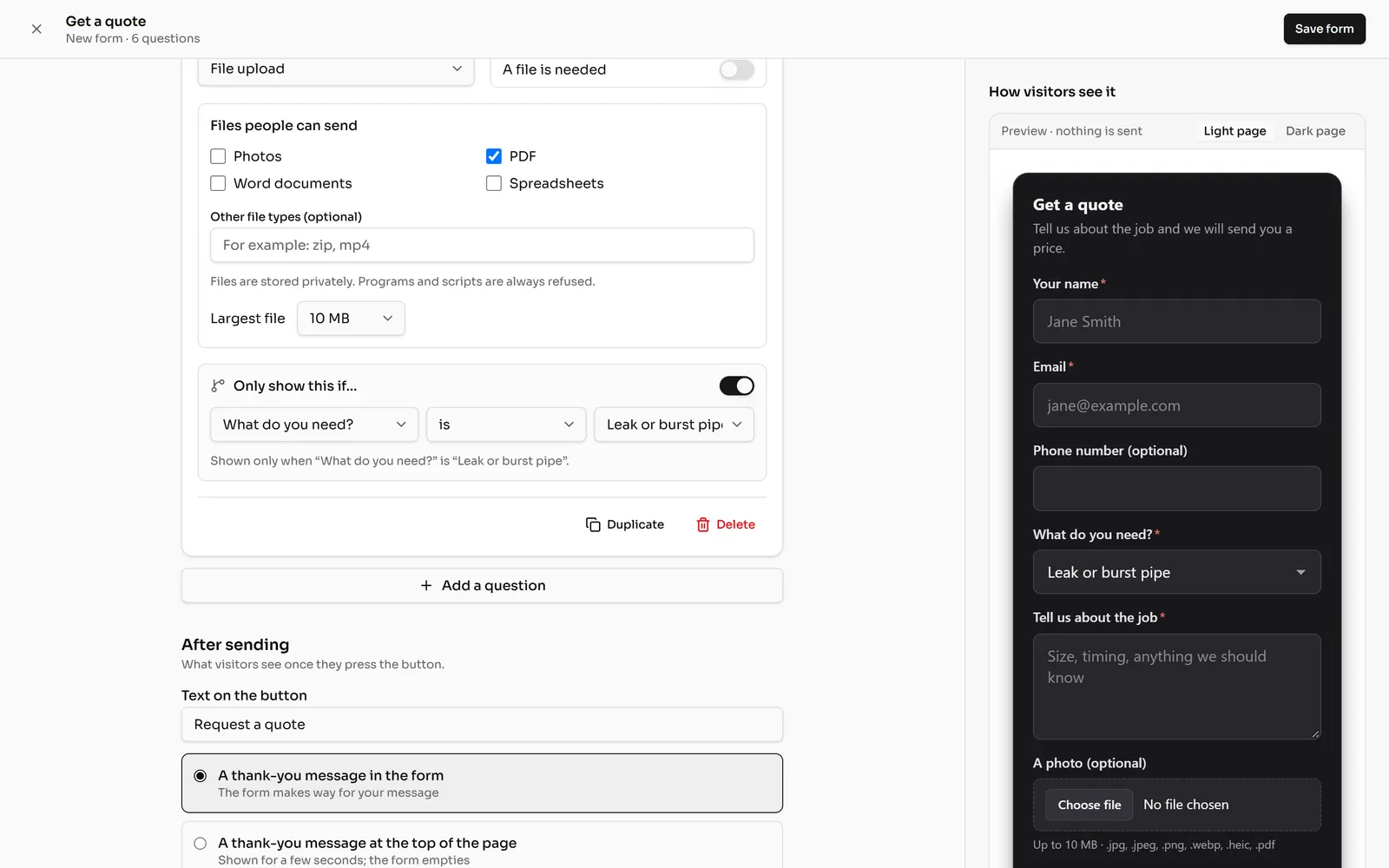
In the form editor, open a question and turn on “Only show this if…”, then pick an earlier question and the answer that shows it. The preview shows the result straight away.
Every plan2 min3 stepsChecked
Step 1: Add the rule
In the form editor, open the question and turn on Only show this if…. Pick an earlier question, then the answer: for example, show A photo only when What do you need? is Leak or burst pipe.
The question’s line then reads like a sentence, “Shown only when …”, so you can see the rules at a glance.
 (opens the full-size screenshot)
Step 2: Try it in the preview
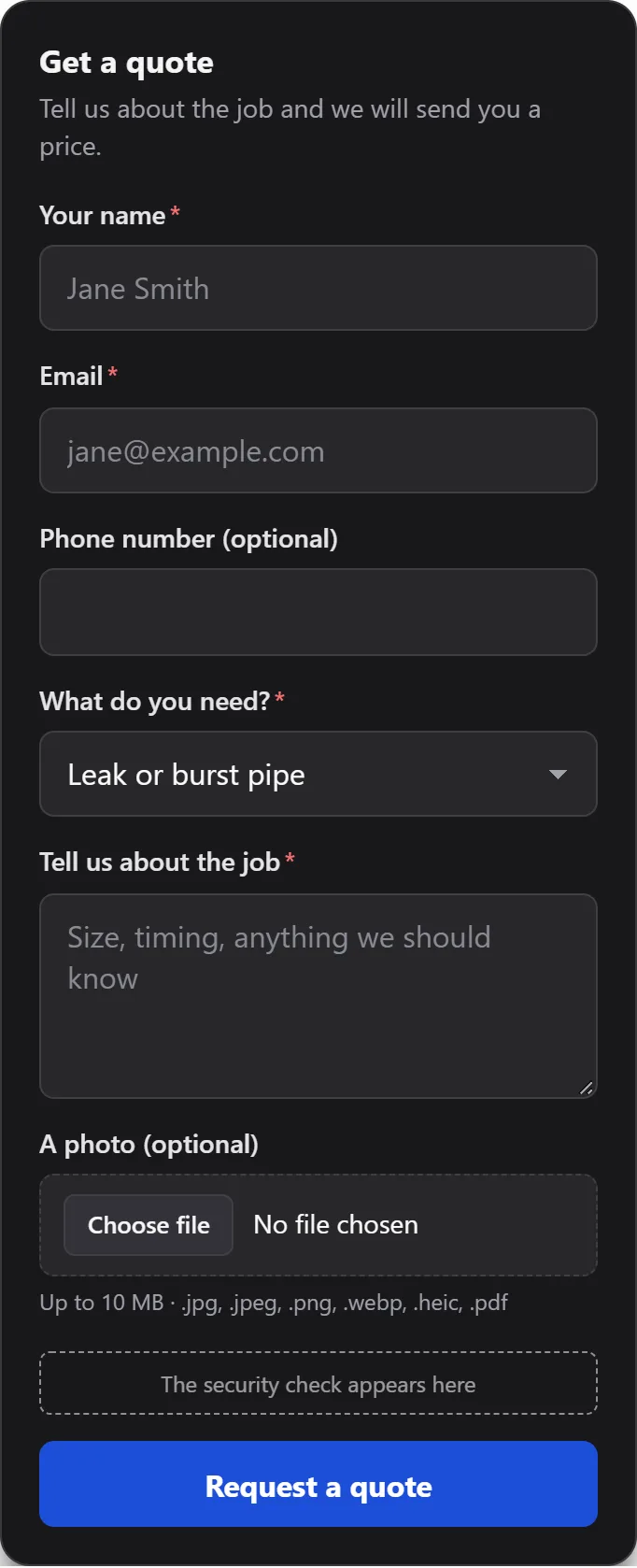
Choose that answer in the preview on the right: the question appears. Choose another one and it hides again.
 (opens the full-size screenshot)
Step 3: Save
Click Save form, or Save changes for a form already on your website. Your website follows the same rules.