
Undo a publish
Every publish is kept as a version. Open Deployments, click Rollback next to the version you want and confirm: that version is live again at once.
Every plan1 min2 stepsChecked
Step 1: Find the version
Open the website, then Deployments. Deployment History lists the versions, newest first; the one marked Current is live.
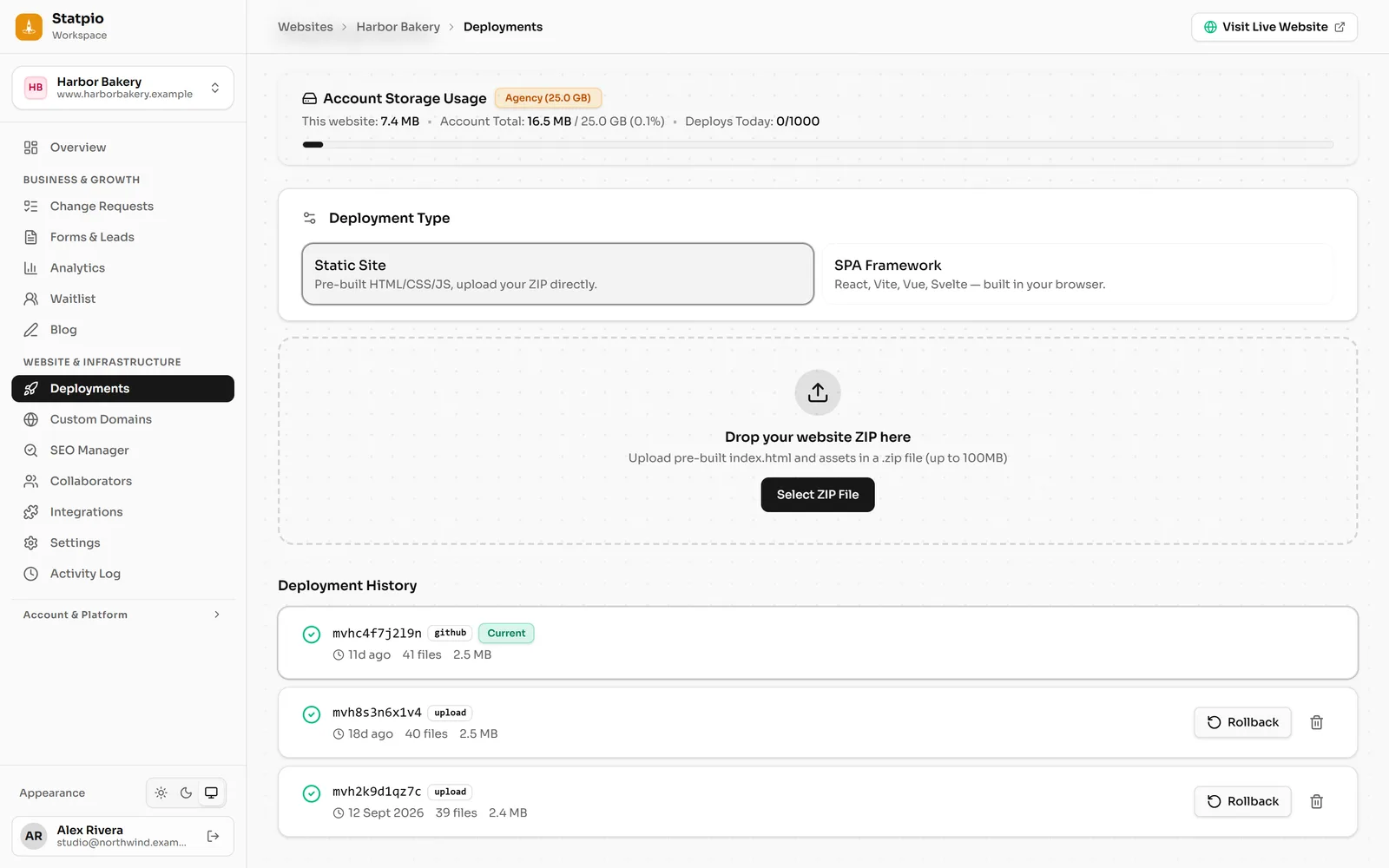 (opens the full-size screenshot)
Step 2: Roll back
Click Rollback next to the version you want, then Roll back to confirm. Your live website is replaced by that version straight away. The newer versions stay in the list, so you can go forward again the same way.
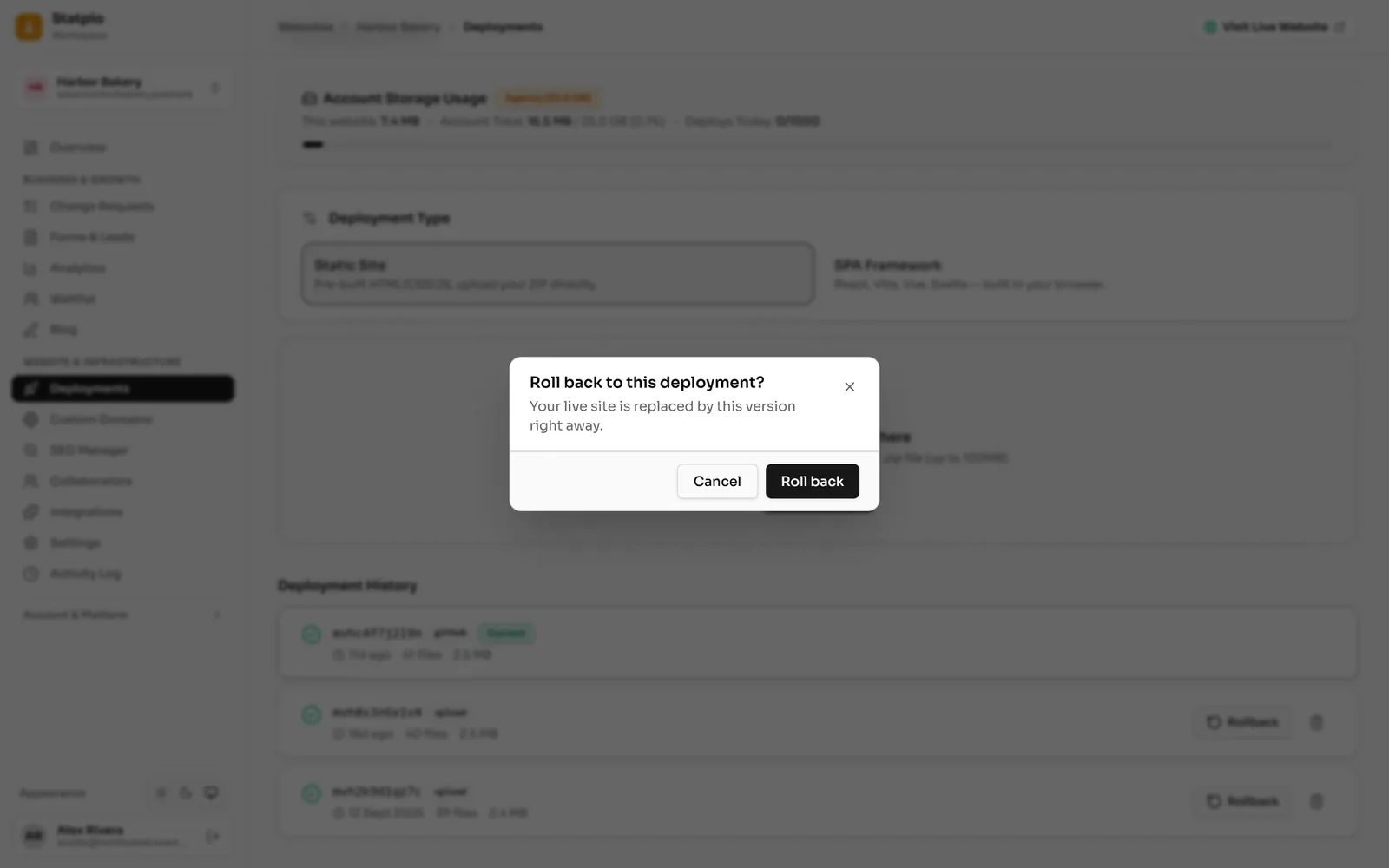 (opens the full-size screenshot)