
Publish your website
Create a website in the dashboard, then upload a ZIP of your finished site: it goes live on a free onstatpio.com address in moments. You can also publish from GitHub on Solo Pro and up, or ask an AI assistant to do it.
Step 1: Create a website
In the sidebar, open All Websites and click New website. Give it a name: it gets a free address ending in
.onstatpio.com, with SSL, straight away.Each website on the list shows its address, and its visitors and leads (messages from its forms) of the last 7 days.
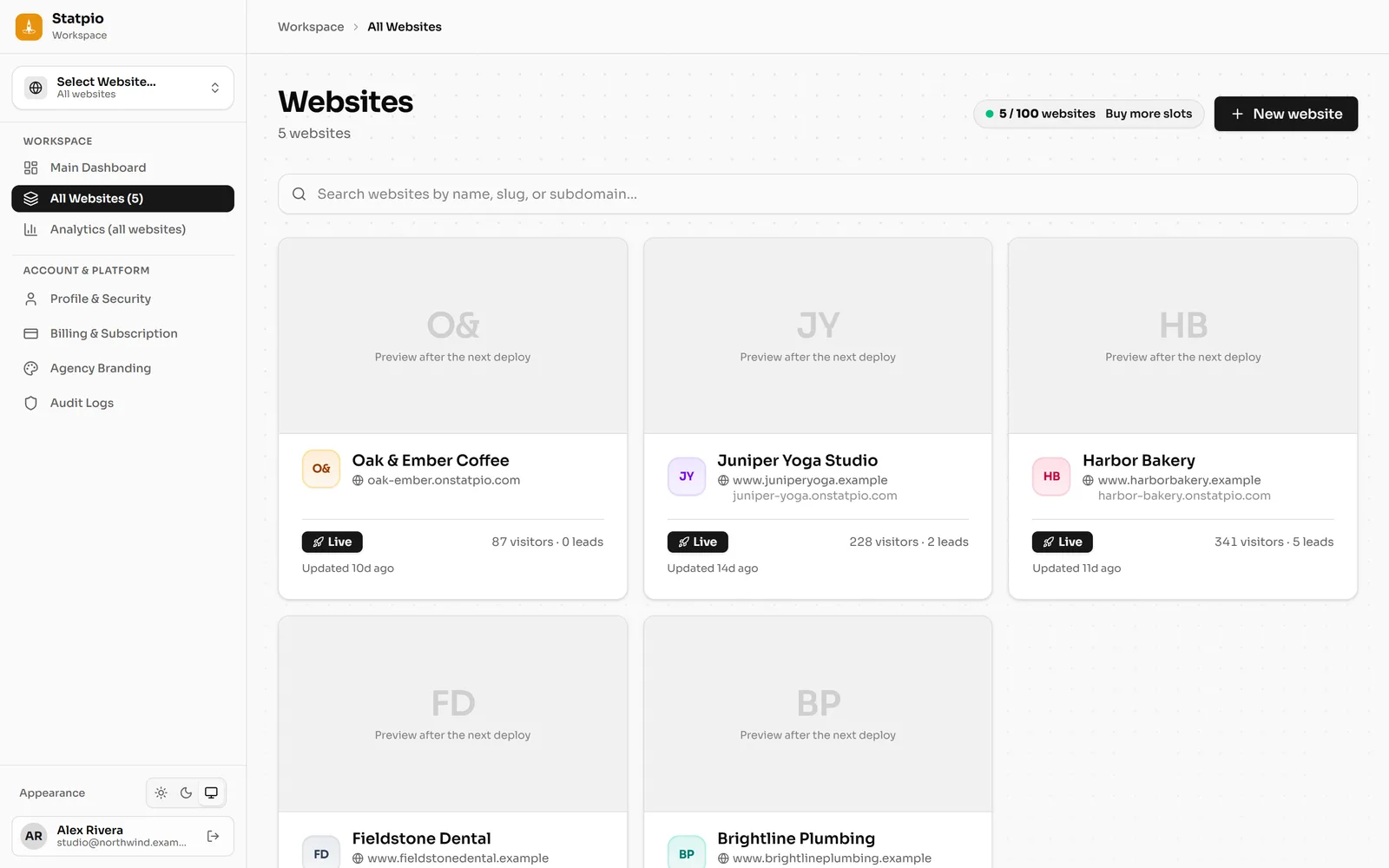 (opens the full-size screenshot)
Demo website, sample numbers. Step 2: Upload your site as a ZIP
Open the website and go to Deployments. Drop a ZIP of your finished website on Drop your website ZIP here, or click Select ZIP File.
The ZIP holds the files a browser opens:
index.htmlwith your pages, styles, scripts and images. Statpio hosts finished websites, so server code (a Node server, server-side rendering) doesn’t run.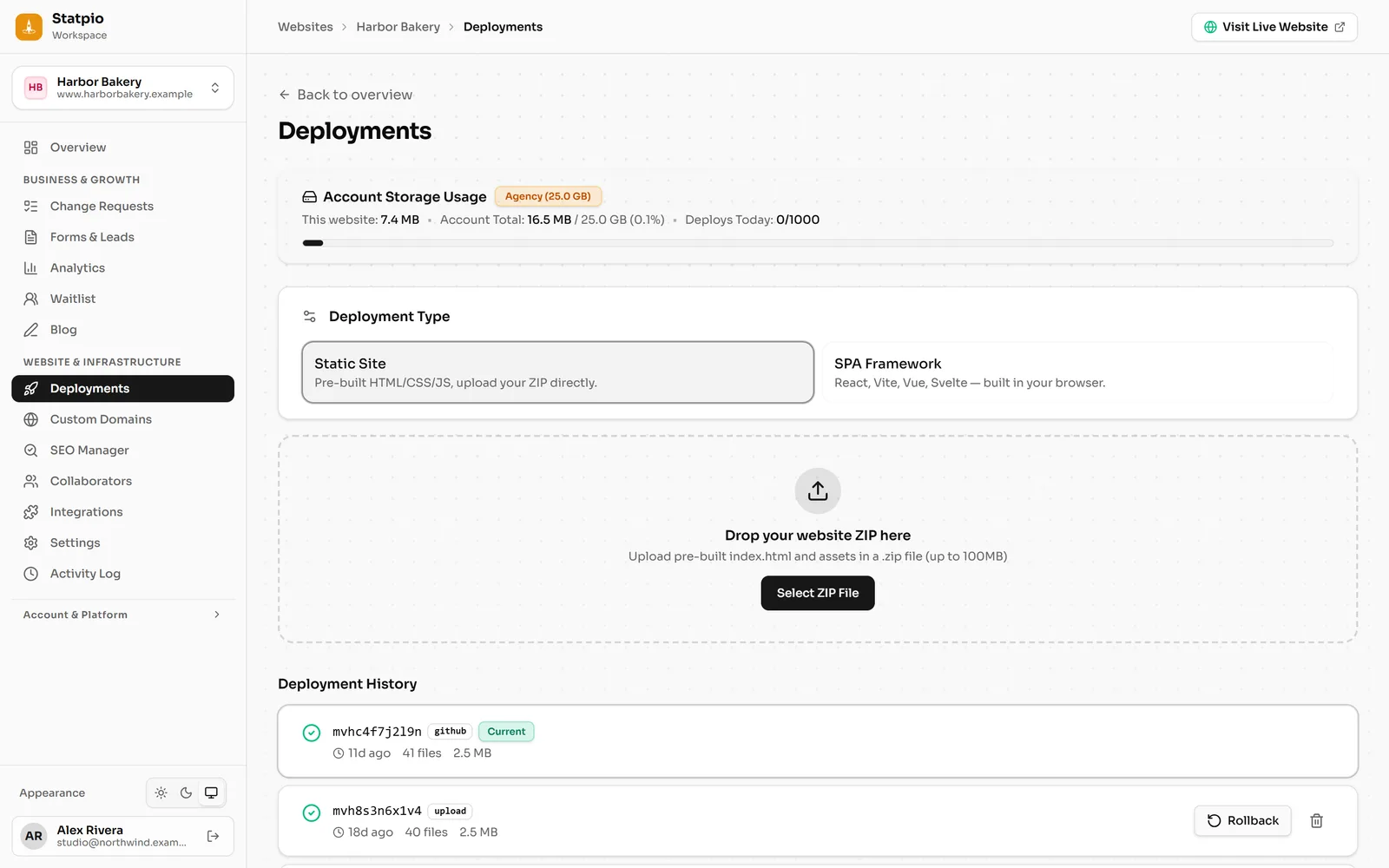 (opens the full-size screenshot)
Step 3: It’s live
As soon as every file is stored, the new version goes live at your address. Each upload is a new version in Deployment History, so you can always go back to an earlier one.
Step 4: Or publish from GitHub
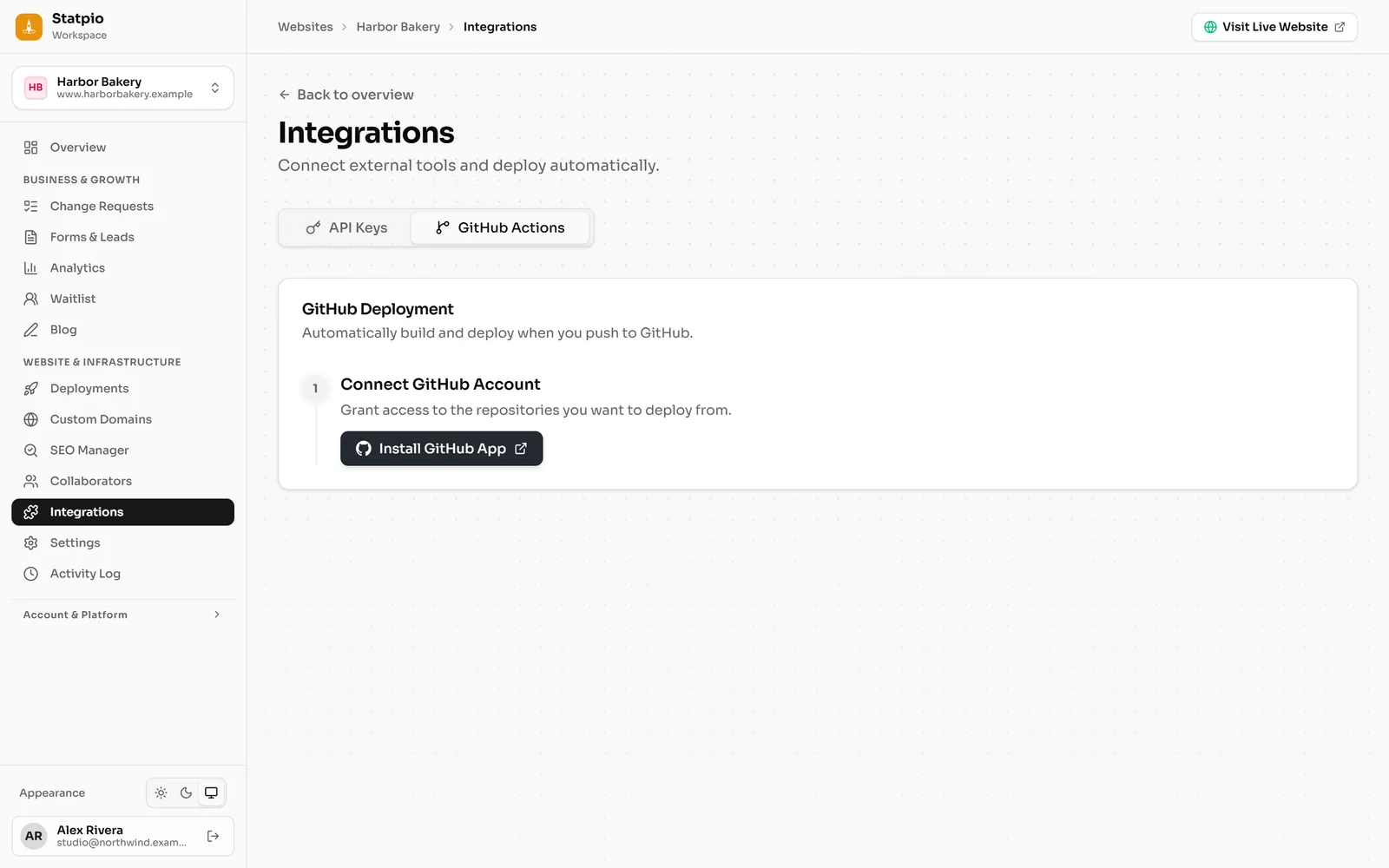
On Solo Pro and Agency Pro, open Integrations, then the GitHub Actions tab. Click Install GitHub App to give Statpio access to your repositories, then pick the repository and branch: every push publishes the website.
Plain HTML with nothing to build? Leave the build command empty and the repository is published as it is.
 (opens the full-size screenshot)