
Connect your own domain
Add your domain on the website’s Custom Domains page, then create the two CNAME records it shows at your domain provider. Statpio checks them and sets up SSL for you. Custom domains come with Solo Pro and Agency Pro.
Step 1: Add your domain
Open the website, then Custom Domains. Keep www. Domain (recommended), type your domain without the www, such as
yourbusiness.com, and click Connect Domain. For an address such asshop.yourbusiness.com, choose Custom Subdomain instead.Step 2: Create the two DNS records
The page now shows two CNAME records with copy buttons. Add both at your domain provider (GoDaddy, Namecheap, Cloudflare and others):
1.
wwwpointing tocname.onstatpio.com, which sends visitors to your website.2.
_acme-challenge.wwwpointing to the value shown (it ends indcv.cloudflare.com), which lets Statpio issue your SSL certificate.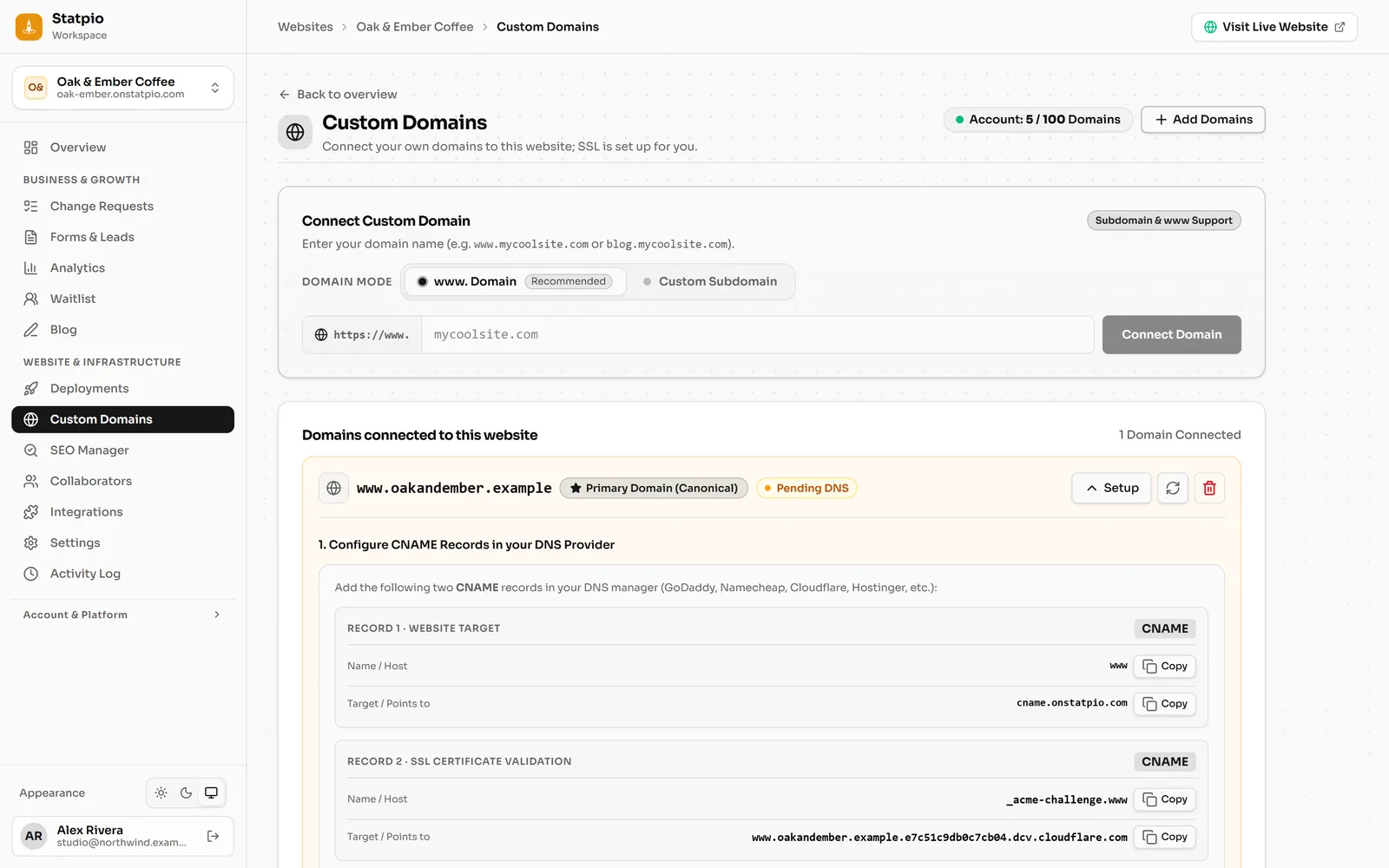 (opens the full-size screenshot)
Step 3: Wait for the check
Until the records are found, the domain shows Pending DNS. DNS changes can take a while to reach everyone; the refresh button next to the domain checks again. Once they’re found, SSL is issued automatically and the domain shows Active.
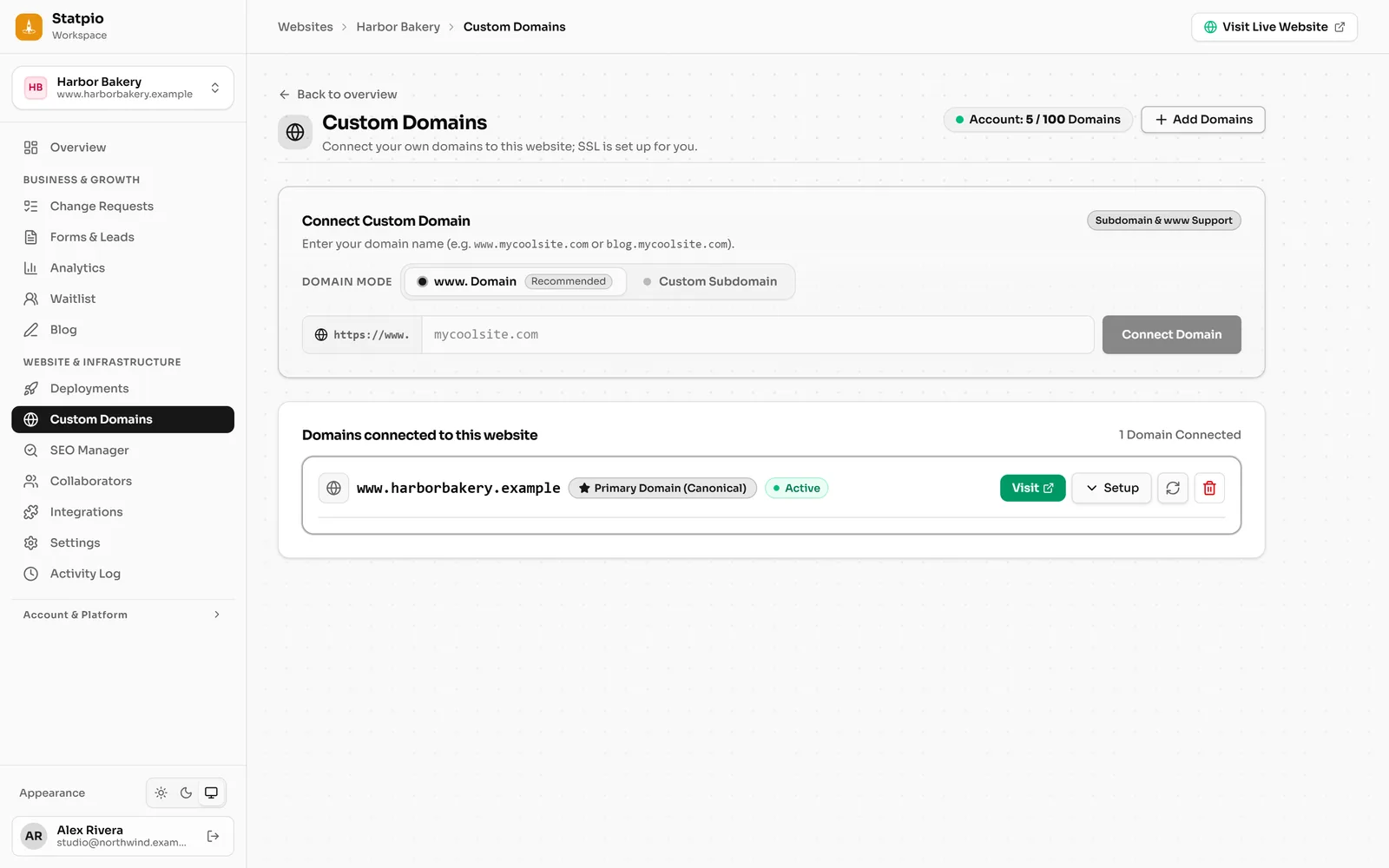 (opens the full-size screenshot)
Step 4: Send your root domain to www
Your website is served on
www. To makeyourbusiness.comwork too, forward it towww.yourbusiness.comat your domain provider. The domain’s Setup panel shows how for GoDaddy, Cloudflare, Namecheap and Hostinger.